
NextCloud, ownCloud & OpenCloud#
Nextcloud Files is an on-premise, open-source file sync and share solution designed to be easy-to-use and highly secure.
ownCloud is the most straightforward way to file sync and share data. You don’t need to worry about where or how to access your files. With ownCloud, all your data is where ever you are; accessible on all devices, any time.
OpenCloud is the Heinlein Group’s file sharing & collaboration solution. Intelligent file management and a strong open source community turn files into valuable resources - effectively structured and usable in the long term.
Tip
Download Mountain Duck as an alternative to Desktop Client from Nextcloud & ownCloud.
Connecting#
Connection Profiles#
Select the connection profile Nextcloud for Protocol bundled by default. Authenticate with app tokens or Basic authentication enabled on the server.
Select the connection profile ownCloud for Protocol bundled by default. Authenticate with app tokens or Basic authentication enabled on the server.
Connecting to OpenCloud the default authentication scheme is OpenID Connect. For deployments using the built-in identity provider, use the ready-made connection profile with the OAuth client registered by default.
Open Preferences… → Profiles in Cyberduck or Mountain Duck.
Enable the OpenCloud (OpenID Connect) connection profile.
Add a new bookmark and choose OpenCloud (OpenID Connect) in the protocol dropdown. Enter the hostname of your OpenCloud server in Server.
Connect to the bookmark and log in with your OpenCloud account in the web browser. Allow access for OpenCloud Desktop Client when prompted.
ownCloud Infinite Scale & OpenCloud with OpenID Connect Tutorial
For deployments using Keycloak or Microsoft Entra ID as the identity provider, follow the step-by-step instructions to write a custom connection profile.
Connecting to ownCloud Infinite Scale the default authentication scheme is OpenID Connect. For deployments using the built-in identity provider, use the ready-made connection profile with the OAuth client registered by default.
Open Preferences… → Profiles in Cyberduck or Mountain Duck.
Enable the ownCloud Infinite Scale (OpenID Connect) connection profile.
Add a new bookmark and choose ownCloud Infinite Scale (OpenID Connect) in the protocol dropdown. Enter the hostname of your ownCloud Infinite Scale server in Server.
Connect to the bookmark and log in with your ownCloud account in the web browser. Allow access for ownCloud desktop app when prompted.
ownCloud Infinite Scale & OpenCloud with OpenID Connect Tutorial
For deployments using Keycloak or Microsoft Entra ID as the identity provider, follow the step-by-step instructions to write a custom connection profile.
Note
Basic Authentication is disabled by default. For additional information refer to the ownCloud documentation.
Obtain WebDAV Address From Server#
Connect to your Nextcloud or ownCloud server in your web browser and obtain the WebDAV address from Settings in the lower left. Paste the copied server address into the Server field and finish editing. From the pasted URL the hostname is set in Server and the document root of your Nextcloud or ownCloud installation in Path.
Warning
Make sure to set in Username the actual username instead of the email address.
Tip
The default path /remote.php/dav/files/<username> will be used with no custom setting in Path to access the WebDAV API.
Attention
You are required to set a Path only if your installation is accessible under a subdirectory such as example.net/cloud/ this can be indicated by setting a default path of directory/remote.php/webdav. You can omit the value in Path if your installation defaults to the root of your domain and is accessible at example.net/remote.php/dav/files/<username>.
2-Factor Authentication#
With 2-factor authentication enabled, you will need to create an app password instead of your regular login credentials. You should find it in Personal → App passwords.
Features#
Versioning#
A list of file versions can be viewed in the Versions tab of the Info window. Files can be reverted to a chosen version of this list.
Share & Request Files#
Create different shares using the context menu. By adding a passphrase in the corresponding you can build a password protected share. Alternatively skip the prompt to create a public share.
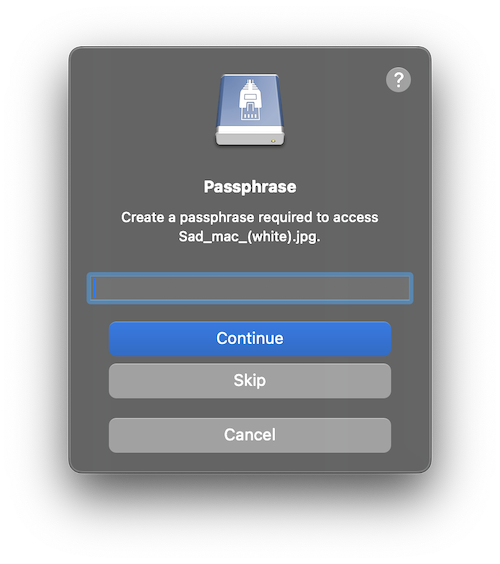
Use File → Request files… to create upload shares for folders.
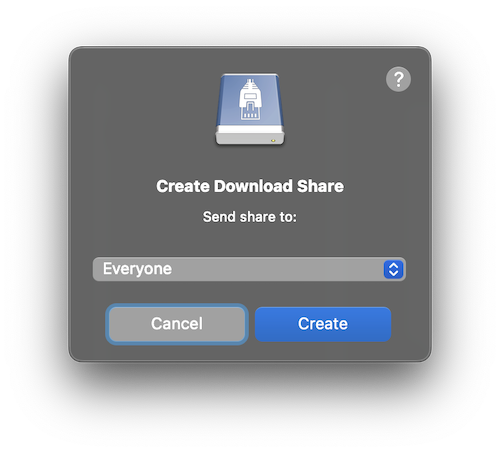
Use File → Share… to create download shares. Choose between a public link by selecting
Everyoneand a privat link for another user by choosing a specific email address. The user will be notified about the shared file by email.
Resumable Uploads#
Connecting to ownCloud Infinite Scale, interrupted uploads can be resumed at any time.
Note
Cyberduck 8.9.0 or later is required.
Known Limitations#
0-Byte Files#
If you are running an Apache configuration make sure to disable fastcgi and php-fpm. Refer to our best practice for Nextcloud and ownCloud installations.
Modification Date#
The modification date retention is supported using X-OC-Mtime for new files uploaded but without the option to adjust the modification date later.